
Download BPGuard – Blood Pressure Monitoring App, Health Tracking, Free Android Tool
Overview
BPGuard is a mobile application designed for individuals seeking a convenient way to monitor their blood pressure levels over time. Developed by WUZHIxx, the app serves as a digital log for tracking systolic and diastolic readings, enabling users to maintain consistent records of their cardiovascular health. It is intended for consumers and health-conscious individuals who want to stay informed about their blood pressure trends without relying solely on periodic doctor visits.
The app supports regular data entry, allowing users to input measurements manually, which can later be reviewed for patterns or fluctuations. While BPGuard does not replace professional medical evaluation, it acts as a supplementary tool to promote proactive health management. Real-world usage scenarios include daily monitoring for individuals with hypertension, post-treatment tracking, or general wellness routines.
The developer did not provide additional information about the app’s background or development philosophy. No specific clinical validation or integration with medical devices was mentioned. The release date of BPGuard is not specified in the available information.
Key Features & Capabilities
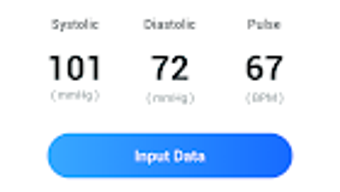
- Manual Blood Pressure Input – Users can enter their blood pressure readings directly into the app, including systolic and diastolic values, along with heart rate data.
- Historical Data Tracking – All recorded readings are stored securely within the app, allowing users to view past entries and analyze trends over days, weeks, or months.
- Health Guidance Suggestions – Based on entered data, the app provides general health insights and lifestyle recommendations aimed at supporting cardiovascular wellness.
- User-Friendly Interface – The app features a clean, intuitive layout designed for quick and accurate data entry with minimal user effort.
- Free Access – BPGuard is available at no cost on the Google Play Store, making it accessible to a broad audience interested in personal health monitoring.
These features enable users to maintain a consistent health log, identify potential irregularities, and make informed decisions about their lifestyle habits. For example, a user noticing consistently high readings may choose to adjust their diet or increase physical activity. The app does not include automated data import from external devices, nor does it offer real-time alerts or integration with wearable technology. The developer did not specify data encryption or cloud backup functionality. All functionality is confined to the device where the app is installed.
User Interface, Workflow & Performance
The user interface of BPGuard is structured around simplicity and ease of navigation. Core functions such as adding a new reading or viewing historical data are accessible through clearly labeled buttons and menus. The workflow is linear: users open the app, input their measurements, and confirm the entry, which is then saved in the local database.
Navigation between different sections is straightforward, with minimal steps required to access key features. The app does not display complex charts or analytics by default, but users can view their data in chronological order. Performance observations are based on general software behavior patterns.
The developer did not specify resource usage details, such as CPU or RAM consumption. Stability during prolonged use was not documented. No reports of crashes or freezes were provided.
The app is designed to function offline, meaning users can record data without an internet connection. However, the absence of cloud sync means data remains device-specific and cannot be accessed across multiple devices.
Compatibility & System Requirements
BPGuard is available for Android devices and is accessible through the Google Play Store. The app’s compatibility with specific Android versions or device types was not detailed in the provided information. The developer did not specify the minimum operating system version required for installation.
Installation size was not listed, nor were any hardware requirements such as processor speed, RAM, or storage space. Exact system requirements were not listed. The app is designed to run on mobile devices with standard Android capabilities.
Users should ensure their device meets general Android software standards for app installation. The release date of BPGuard is not specified in the available information.
Pros and Cons
Pros
- Free to download and use on Android devices
- Simple and intuitive interface for easy data entry
- Supports long-term tracking of blood pressure readings
- Provides general health guidance based on user input
- Functions offline without requiring constant internet access
Cons
- No integration with external blood pressure monitors or wearables
- Data is stored locally; no cloud backup or cross-device sync
- Developer did not provide details on data security or privacy practices
- Does not offer advanced analytics, trend visualization, or alert notifications
- Not intended as a medical diagnostic tool
FAQ Section
Is BPGuard compatible with all Android devices?
Compatibility information is limited. The app is available on the Google Play Store, but the developer did not specify which Android versions or device types are supported.
Is BPGuard safe to use?
BPGuard is designed as a personal health tracking tool. The developer did not provide specific details about data encryption, privacy policies, or security measures. Users should exercise caution when entering sensitive health information.
Does BPGuard require an internet connection?
The app functions offline, allowing users to record readings without an internet connection. However, certain features like cloud backup or updates may require connectivity.
Can I use BPGuard without a blood pressure monitor?
Yes, BPGuard allows users to manually enter blood pressure readings. It does not require a connected device to operate.
Is BPGuard suitable for medical diagnosis?
No. BPGuard is not intended to replace professional medical advice, diagnosis, or treatment. It is a personal tracking tool and should not be used for clinical decision-making.
Final Thoughts + CTA
BPGuard offers a straightforward solution for individuals who want to monitor their blood pressure using a simple, free Android app. While it lacks advanced features like device integration, cloud storage, or real-time alerts, its core functionality—manual data entry and basic tracking—remains effective for users focused on personal health awareness. The app’s minimalistic design and offline operation make it accessible and reliable for daily use.
However, the absence of technical details about data security, system requirements, and compatibility limits transparency. For users seeking a no-frills, budget-friendly tool to log blood pressure readings, BPGuard may serve as a practical starting point. It is best suited for consumers who value self-monitoring and are willing to manage their data locally.
While not a medical device, it can support healthy habits when used responsibly. Download BPGuard now to start tracking your blood pressure with ease.







